August 22, 2009

3DS Max Tutorial : Car Rim Modeling

car rim modeling, 3ds max tutorial, modeling tutorialThis 3DS Max Tutorial shows you how to create rims for a sports car by using the Bridge feature for an Editable Poly that introduced in 3DS Max 7 and very usefull to save modeler a lot of work. After you done with this tutorial, you can create your own wheel. This 3DS Max Tutorial use the common technique modeling such as Extrude, Bevel, Chamfer, Bridge, Soft Selection.

This 3DS Max Tutorial is for beginner and very easy to follow. So let's get started!

Tutorial Link here!

Continue to read...

3DS Max Tutorial : Modeling a low-poly LCD monitor

low poly modeling, modeling tutorial, low poly tutorial, low poly modeling tutorialThis tutorial will show you how to model an LCD monitor in 3D Studio Max using basic of box modeling techniques. This tutorial is suitable for beginners and shows exactly how to perform each step. We won't be using a background image/picture to model an existing monitor, instead we'll create our own original LCD monitor. Once you learned to apply the techniques in this tutorial, it will be a piece of cake to adjust/extend the model to create your own unique monitor.

With 3D modeling, there are many different ways to reach a similar result. Some of the tasks described in this tutorial are the things 'I' do, which doesn't mean it is 'the' way to do it. Although this tutorial is written primarily for 3D Studio Max users, the same techniques apply to many other packages as well. You could even use the free modeler Wings 3D.

Download PDF File here!

Continue to read...

Basic modelling in 3Ds Max

3ds max basic, basic 3d modeling3D Max has a few basic tools you can use for Polygon modelling, although there are many other tools used by Artists to create models and by Designers to block out ideas or levels, the following tools are the ones used in the main to create low polygon in game models. It is also a good way to learn the basics of 3D modelling.

This is a quick guide to three main Polygons Modelling tools;
You can choose the window you wish to work in by just left clicking within it. Highlighted in the right hand panel and the bottom of max are some useful tools for the selected perspective window. From right to left, Field of View, Pan, Rotate and Full Screen selected window.

Download PDF File here!

Continue to read...

Guitar Hero III Developer Diary - Character Art

Guitar hero characters, low poly character, low poly modelingWord from author "When creating these characters, our first priority was to retain the comical look of the original Guitar Hero and Guitar Hero II while actually bringing them into the current generation of graphics. We fired some ideas back and forth and finally settled on the idea of keeping the exaggerated proportions of each character, but creating materials and textures that looked and felt realistic. We believed this gave us the best shot at creating some characters that were really impressive without sacrificing the personality and style the franchise had established."

Chris George, lead character artist on Guitar Hero III: Legends of Rock says "Most of the techniques I mention in this diary are industry-standard, and the production staff on the game was very organized, and it helped make our lives much easier when it came to scheduling. In the end, I feel very proud and confident of the art in our game. It was the talent and enthusiasm of the artists involved that made these characters look so great and it was a pleasure to work with them."
Download PDF File here!

Continue to read...

August 19, 2009

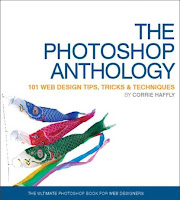
The Photoshop Anthology

photoshop tutorial, photoshop guide, photoshop web tutorialThere are hundreds of online tutorials about creating various web graphic effects in Photoshop. This book shows you how to create many of those same effects, but most solutions include a “Discussion” section that goes beyond the “step-by-step” stage to explain some of the concepts behind the solution, enabling you to understand more of how Photoshop works so that you can apply that knowledge in other situations. One of the most valuable solutions in this book, and which can be found at the beginning of Chapter 8, gives you a conceptual “road map” of how to use Photoshop in the web design process and illustrates it with an example that combines many of the techniques explained in earlier chapters.

Because this book is focused towards web designers, it cover only some of the basic and intermediate tasks related to photo adjustments and retouching. If this area interests you, there are many excellent books, geared towards professional photographers and artists, which provide more advanced instruction than doesthis title.

Download PDF File here!

Continue to read...